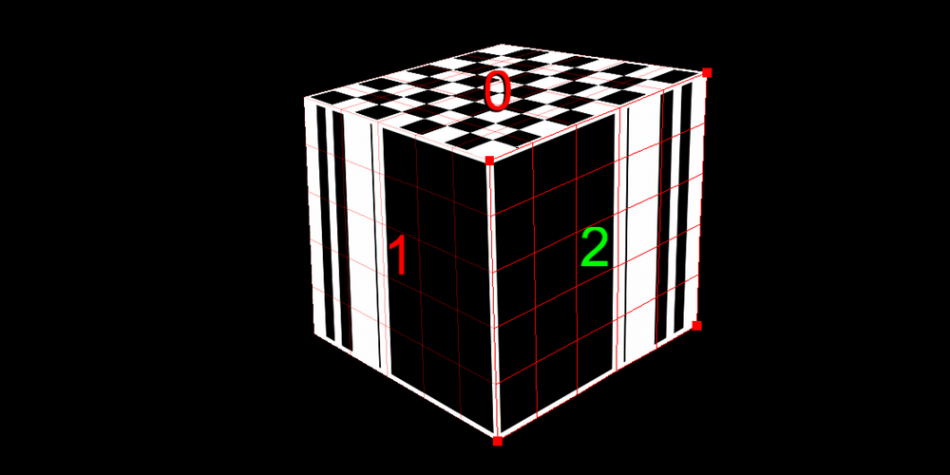
On request from several people I decided to finally release source code of my projection mapping projects. I wanted to make a Processing library from it anyway at some point but I delayed it so many times that it might never happen. Meet “Projected quads”:
Features
- - unlimited number of quads
- - support for static images and dynamic generative animations
- - loading and saving configuration to a text file
Download
ProjectedQuadsTest.zip [7kb]
How to use it?
Let’s say we want to display an image with perspective correction. First declare variables for our image and quad that will display it.
PImage img;
ProjectedQuads projectedQuads;
Then in setup() function load the image, create projectedQuads object, set number of quads and assign textures to them.
void setup() {
img = loadImage("checker.png");
projectedQuads = new ProjectedQuads();
projectedQuads->setNumQuads(1);
projectedQuads.getQuad(0).setTexture(img);
}
All we have to do in draw() function is just call projectedQuads.draw();
void draw() {
projectedQuads.draw();
}
Run the sketch and adjust corners of the quad using mouse or keyboard. Attached example source code explains how to use more quads and display dynamic graphic generated in processing.
Some other projects that I use this code for:
3xI
Reactive projection mapping during Vivisesja festival.
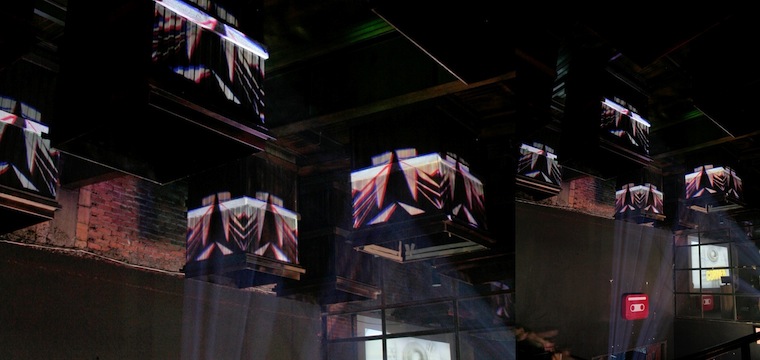
Shiftcontrol’s end of they
During Christmass meeting I did small projections to add some life to the globetrotters pub where it took place.
martino, this is awesome.
i will try and understand the code and do something with it soon.
thanks a lot.
Jan 31, 2010 @ 5:37 am
hi, nice work!
I just download the code and try it.
First try was to create an ellipse passing from quad to another:
- there is a simple way to do it?
(without checking the position each frame and choosing where draw it?)
Thanks a lot in advance,
bye.
Mar 03, 2010 @ 12:36 pm
The easiest way to do it would be to draw the ellipse twice in two graphics objects . Let’s say your graphics size is W x H. Then in the first one you draw ellipse at (x,y) and in the second one you draw it at (x-W, H). When the ellipse reach the right border of the first quad it will start to appear in the second one. I hope it makes sense. The code doesn’t support splitting one texture among many quads yet. So that the only option to do it now.
Mar 03, 2010 @ 12:45 pm
Amazing work! I’m completely new to Processing and programming and I’ve been looking for code to allow me to projection map – this seems perfect! . . . but I downloaded, run the sketch and I get an error:
the nested type ProjectedQuads cannot hide an enclosing type
I’m sure it’s an amaturish oversight, but any help, tip and hints would be much appreciated.
Cheers.
Mar 27, 2010 @ 4:33 am
@Brisco – make sure the folder (or sketch) as it’s called, is not called “ProjectedQuads” – the folder (sketch) cannot have the same name as the class.
May 11, 2010 @ 8:44 am
Great work, thanks for sharing Marcin.
May 20, 2010 @ 2:38 pm
[...] In addition to the above, Marcin has made available wonderful code for mapping projection onto cubes for Processing. Check it out here. [...]
Jun 10, 2010 @ 9:41 pm
really interesting work but the link “http://marcinignac.com/files/ProjectedQuadsTest.zip” seems to be dead.
Aug 30, 2010 @ 11:14 pm
It’s so awesome..
so really wanna use this source code, but can’t download it.
Aug 31, 2010 @ 3:31 pm
The link is now fixed.
Aug 31, 2010 @ 5:31 pm